MobCash APK download for Android: the official 1xBet agent app
For your security the APK is issued only by a verified regional manager after you pick your language and country. This protects agents from modified packages and fake mirrors.
How to download the MobCash APK safely
Searching for MobCash APK download? Public mirrors are the main source of modified files. The official MobCash APK for Android 8.0+ is shared only by your verified regional manager after you apply. Pick your language and country, open your manager in Telegram, receive the file with its SHA-256 and VirusTotal report, then install.
Install MobCash in four moves
Request the verified file
Pick language and country, then get the .apk directly from your assigned manager.
Verify before installing
Compare the file's SHA-256 with the release details from your manager and check the VirusTotal result.
Allow the installer
Allow installs only for the browser or file manager you used. Stop if a warning appears or the checksum differs.
Log in and bind 2FA
Use the Agent Login from your regional desk leader and link Google Authenticator.
MobCash POS: your pocket stadium
Instant top-ups
Player accounts credited by ID in under 5 seconds.
Code-protected cashouts
Cash is paid out only after the player's one-time code is entered.
Offline sync & receipts
Local history cache and Bluetooth thermal printing (ESC/POS).
Multi-currency float
Local currencies with transparent conversion to your working balance.
Avoid compromised APKs
Manager-only delivery. No public mirrors, no files from unverified Telegram accounts.
Always check the file hash and VirusTotal report. Never click through a security warning blindly.
Never share your cashier password or 2FA codes, not even with someone claiming to be support.
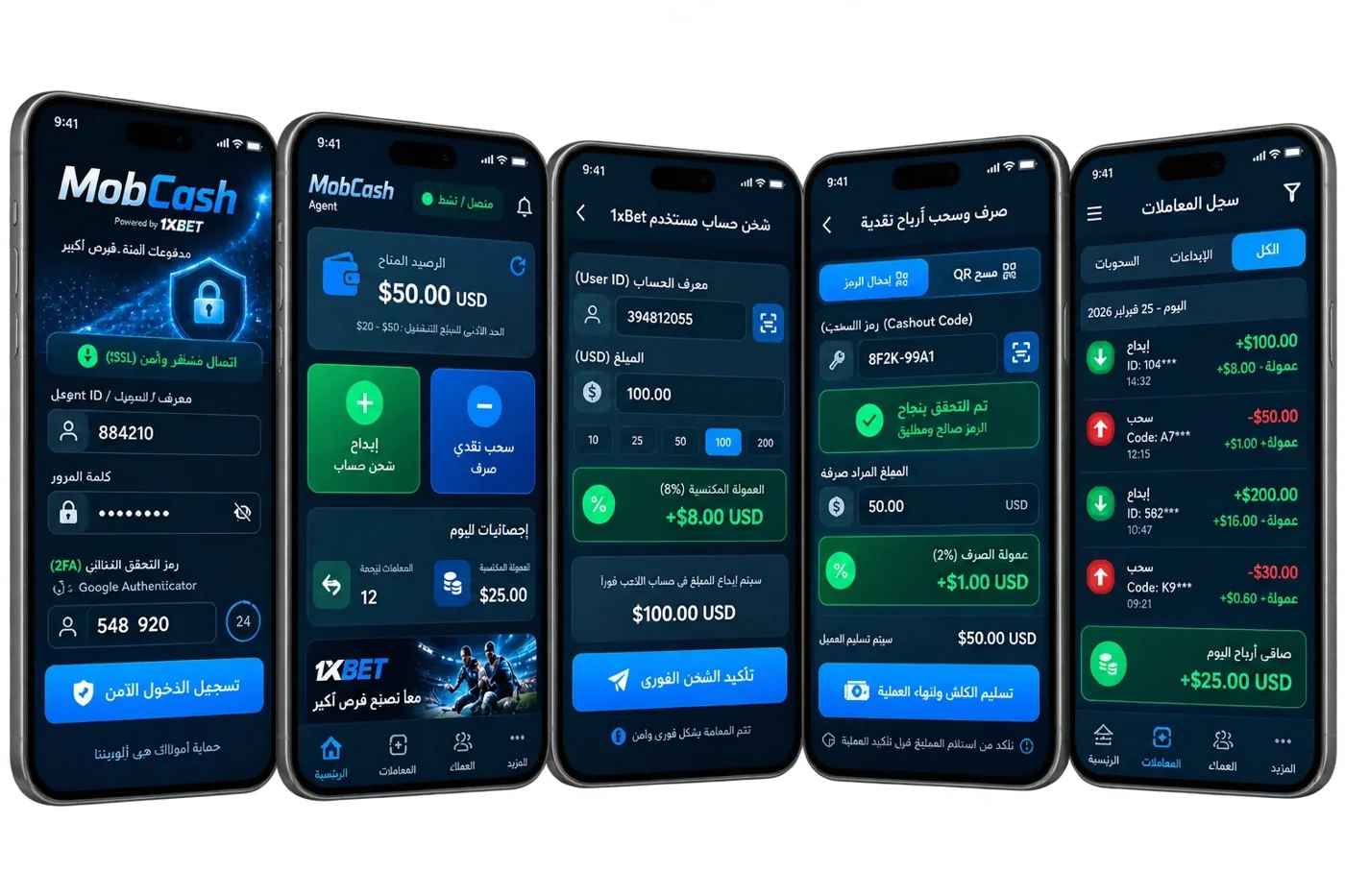
Before you install: a short checklist
- Android 8.0 or higher on a phone, tablet or POS terminal.
- Stable mobile data or Wi-Fi.
- Free storage for the package and local history; your manager confirms the exact size with the release.
- Google Authenticator installed for 2FA.
- Your Agent Login and Cashier ID from the regional desk leader.
Troubleshooting the installation
Android blocks the install
Allow installs only for the browser or file manager you used to open the file, then retry. Switch the permission off again afterwards.
A security warning appears
Stop. Compare the SHA-256 of the file with the one your manager sent and check the VirusTotal report. If anything differs, delete the file and ask for a new one.
The app does not open or log in
Check the date and time on your device, confirm you have the latest package from your manager and re-enter the Agent Login exactly as issued. If the Authenticator code is rejected, switch your phone clock to automatic time.
Receipts do not print
Pair the Bluetooth thermal printer in Android settings first, then select it in MobCash. The terminal uses the standard ESC/POS protocol.
Updates and a lost phone
Updates arrive from your manager in the same verified way as the first install. Do not accept update files from other chats.
If a device is lost or stolen, email support@1xbet.com straight away and ask for an emergency freeze of your Cashier ID. Never include passwords or codes in that message.
Frequently asked questions
Why is MobCash given out by a manager?
It ties the APK to verified onboarding and cuts the risk of modified packages, fake mirrors and fraudulent credentials.
Does it support Bluetooth thermal printers?
Yes, standard ESC/POS receipt printing. The exact compatible device list is confirmed with the release build.
What if Android shows a security warning?
Cancel the installation, verify checksum and VirusTotal, and contact your manager. Never bypass an unexpected warning.
Can I run it on a PC?
MobCash is designed for Android. Emulator support is confirmed separately with the verified release.
How do I log in to MobCash after installing?
Use the Agent Login and Cashier ID from your regional desk leader, then link Google Authenticator for 2FA.
Which Android version does MobCash need?
Android 8.0 or higher. The app is not available for iOS.
Ready for kick-off?
Pick your language and country: your personal manager is one tap away in Telegram.